Gem0 Studio
Studio is the client-facing workspace where you describe what you want in plain language and an agent designs the data model, writes the pages that render it, and gets you to a live preview. Nothing lands without your approval, and every change is a git commit you can inspect and roll back.
The four tabs
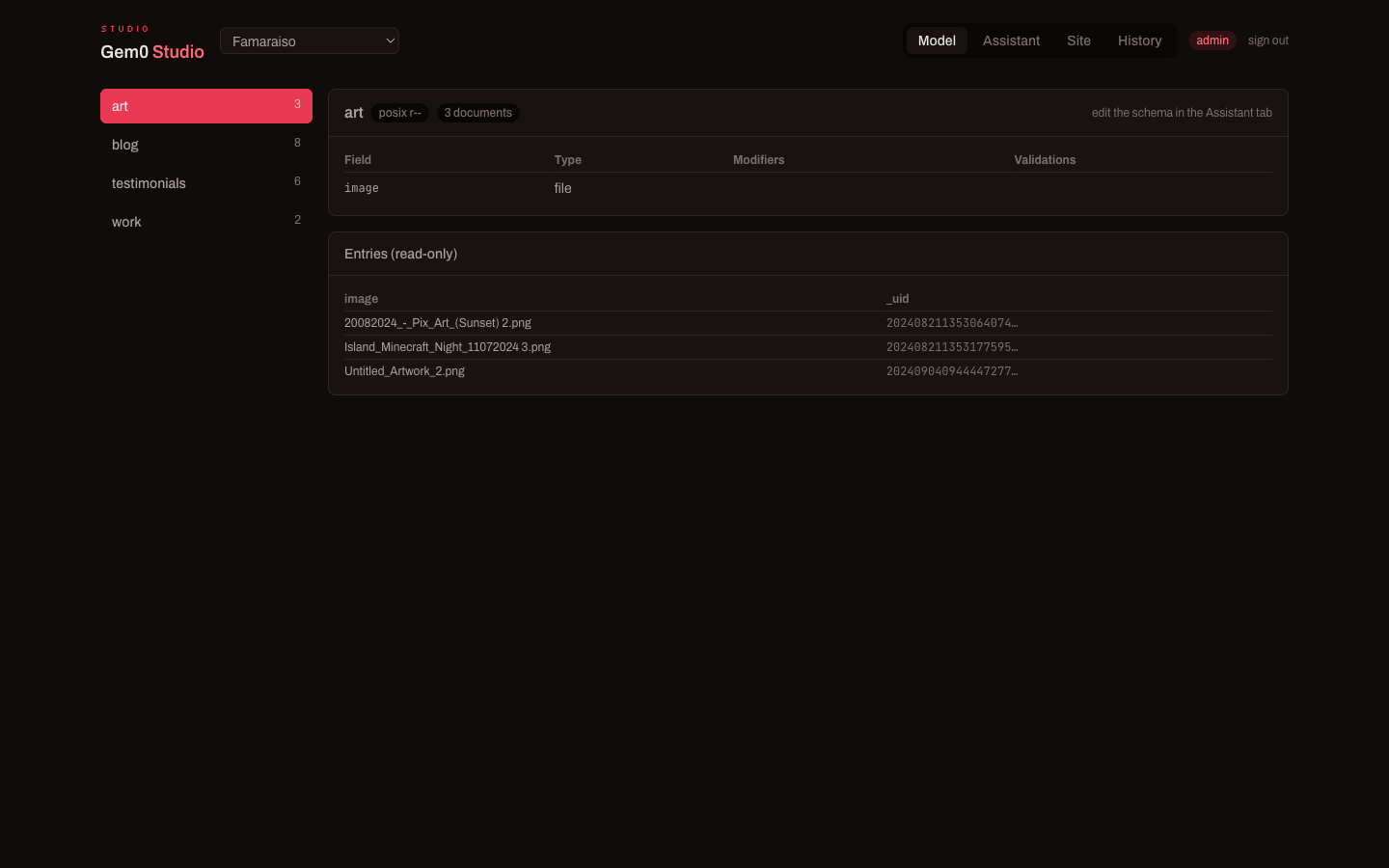
Section titled “The four tabs”- Model — the current schema for the selected project: every collection, its fields, modifiers and validations, plus a read-only look at existing entries. You don’t edit here; you edit through the Assistant.
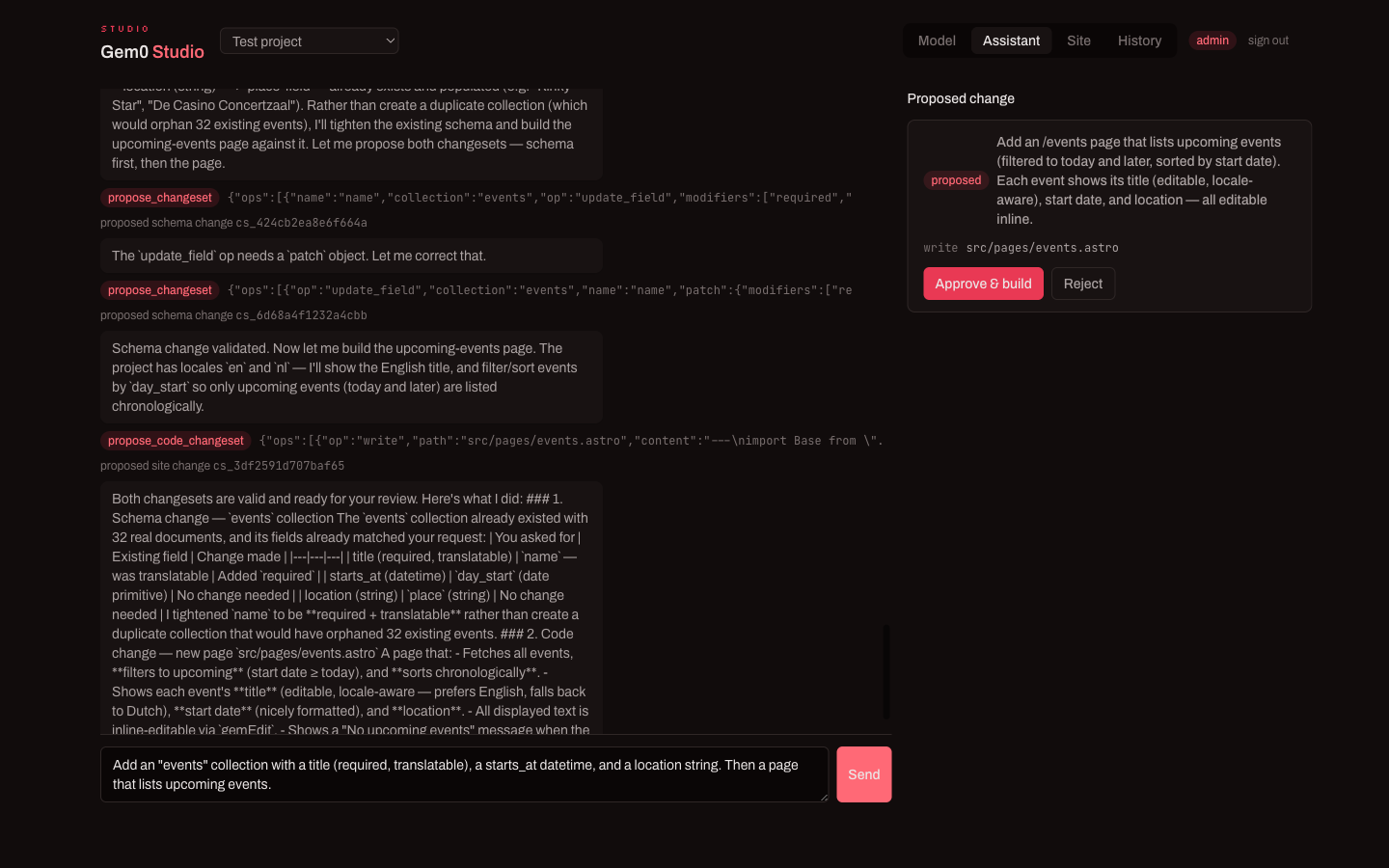
- Assistant — the agent. Tell it what to build (“an events collection with a title, a start date and a location, then a page that lists upcoming events”). It reads your existing schema and site first, then proposes a changeset.
- Site — build and preview the Astro site. Generate pages from a prompt, or open the file tree and edit code directly. Build refreshes the local preview; Publish pushes it live. “Clone locally” and “Sync types” hand you the same project as a normal local codebase.
- History — every schema and site change as a git commit, newest first. Select one to inspect its snapshot.
The changeset flow
Section titled “The changeset flow”The agent never changes your project silently. It proposes:
- a schema changeset (add/adjust collections and fields), and/or
- a site changeset (write or edit page files),
each shown as a diff with an Approve & build / Reject choice. Approving a schema change validates it against the field rules before it’s applied; approving a site change builds the Astro project and refreshes the preview. Because the agent reads your real content first, it won’t, for example, create a duplicate collection when a suitable one already exists — it proposes the smaller change.
Preview, build and publish
Section titled “Preview, build and publish”The Site tab builds your project to a preview URL in seconds. When it looks right, Publish deploys it. Everything you see in the preview is driven by your live schema and content, so editors’ changes flow through on the next build.
Versioning
Section titled “Versioning”Studio is git underneath. The initial schema snapshot and every subsequent change are commits, so History is an audit trail you can read and revert. This is what makes “change the schema, rerun the build” safe: nothing is a one-way door.